资源简介
在Authorware中7中调用外部程序,umpOut和JumpOutReturn可以调用外部程序,它们不同于JumpFile, JumpFileReturn,后者只能调用Authoreware自己的文件。带Return的函数可以返回调用文件继续运行。
JumpOut的JumpOutReturn可以加调用参数,语法是: JumpOut("程序名","文档名") ,其中文档名是要程序打开的文档,也可以把用程序执行的参数加在这里.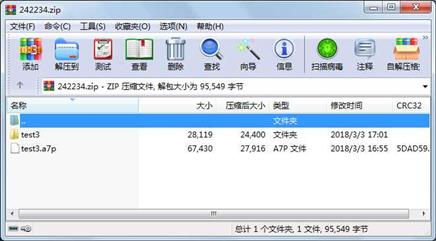
代码片段和文件信息
# http://blog.tibarazmi.com/draw-flower-using-turtle/
# -*- coding: cp936 -*-
import turtle
import math

def p_line(t n length angle):
    “““Draws n line segments.“““
    for i in range(n):
        t.fd(length)
        t.lt(angle)

def polygon(t n length):
    “““Draws a polygon with n sides.“““
    angle = 360/n
    p_line(t n length angle)

def arc(t r angle):
    “““Draws an arc with the given radius and angle.“““
    arc_length = 2 * math.pi * r * abs(angle) / 360
    n = int(arc_length / 4) + 1
    step_length = arc_length / n
    step_angle = float(angle) / n

    # Before starting reduces making a slight left turn.
    t.lt(step_angle/2)
    p_line(t n step_length step_angle)
    t.rt(step_angle/2)

def petal(t r angle):
    “““Draws a 花瓣 using two arcs.“““
    for i in range(2):
        arc(t r angle)
        t.lt(180-angle)

def flower(t n r angle p):
    “““Draws a flower with n petals.“““
    for i in range(n):
        petal(t r angle)
        t.lt(p/n)

def leaf(t r angle p):
    “““Draws a 叶子 and fill it.“““
    t.begin_fill() # Begin the fill process.
    t.down()
    flower(t 1 r angle p)
    t.end_fill()

def main():

    window= turtle.Screen() #creat a screen
    window.bgcolor(“white“)
    window.title(“draw a flower“)
    lucy= turtle.Turtle()
    lucy.shape(“turtle“)
    lucy.color(“red“)
    lucy.width(3)
    #lucy.speed(10)

# Drawing flower
    flower(lucy 7 60 100 360)

# Drawing pedicel
    lucy.color(“brown“)
    lucy.rt(90)
    lucy.fd(200)

# Drawing leaf 1
    lucy.width(1)
    lucy.rt(270)
    lucy.color(“green“)
    leaf(lucy 40 80 180)
    lucy.rt(140)
    lucy.color(“black“)
    lucy.fd(30)
    lucy.lt(180)
    lucy.fd(30)

# Drawing leaf 2
    lucy.rt(120)
    lucy.color(“green“)
    leaf(lucy 40 80 180)
    lucy.color(“black“)
    lucy.rt(140)
    lucy.fd(30)
    lucy.ht() # hideturtle
    window.exitonclick()

main()
属性 大小 日期 时间 名称
----------- --------- ---------- ----- ----
文件 67430 2018-03-03 16:55 test3.a7p
目录 0 2018-03-03 17:01 test3\
文件 2028 2018-02-20 12:05 test3\draw_flower1.py
文件 1431 2018-02-20 11:35 test3\draw_rose1.py
文件 998 2018-02-20 12:22 test3\draw_xilan1.py
文件 198 2018-03-03 16:52 test3\end.rtf
文件 23464 2018-03-03 16:52 test3\交互.jpg
相关资源
- Instant Pygame for Python Game Development How
- Biopython Tutorial
- Think Python 2nd
- 一个小小的表白程序(python)
- Python课堂笔记(高淇400集第一季)
- 二级考试python试题12套(包括选择题和
- pywin32_python3.6_64位
- python+ selenium教程
- PycURL(Windows7/Win32)Python2.7安装包 P
- 英文原版-Scientific Computing with Python
- 7.图像风格迁移 基于深度学习 pyt
- 基于Python的学生管理系统
- A Byte of Python(简明Python教程)(第
- Python实例174946
- Python 人脸识别
- Python 人事管理系统
- 基于python-flask的个人博客系统
- 计算机视觉应用开发流程
- python 调用sftp断点续传文件
- python socket游戏
- 基于Python爬虫爬取天气预报信息
- python函数编程和讲解
- Python开发的个人博客
- 基于python的三层神经网络模型搭建
- python实现自动操作windows应用
- python人脸识别(opencv)
- python 绘图(方形、线条、圆形)
- python疫情卡UN管控
- python 连连看小游戏源码
- 基于PyQt5的视频播放器设计
 川公网安备 51152502000135号
评论
共有 条评论