资源简介
c++编写的QT平台上的计算器小程序,跟windows7上自带的一样,并且可以三个计算器切换,原创。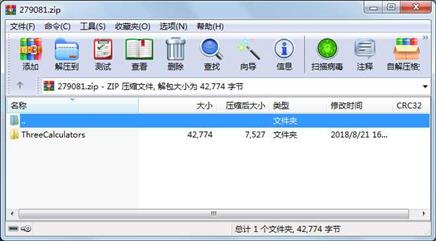
代码片段和文件信息
#include “alluse.h“
#include
#include
#include
alluse::alluse()
{
    QPushButton * pMCBtn = new QPushButton(“MC“);
    QPushButton * pMRBtn = new QPushButton(“MR“);
    QPushButton * pMSBtn = new QPushButton(“MS“);
    QPushButton * pMPlusBtn = new QPushButton(“M+“);
    QPushButton * pMMinusBtn = new QPushButton(“M-“);
    QPushButton * pBackSpaceBtn = new QPushButton(QStringLiteral(“←“));
    QPushButton * pCEBtn = new QPushButton(“CE“);
    QPushButton * pCBtn = new QPushButton(“C“);
    QPushButton * pPMBtn = new QPushButton(QStringLiteral(“±“));
    QPushButton * pRadicalBtn = new QPushButton(QStringLiteral(“√“));
    QPushButton * p0Btn = new QPushButton(“0“);
    QPushButton * p1Btn = new QPushButton(“1“);
    QPushButton * p2Btn = new QPushButton(“2“);
    QPushButton * p3Btn = new QPushButton(“3“);
    QPushButton * p4Btn = new QPushButton(“4“);
    QPushButton * p5Btn = new QPushButton(“5“);
    QPushButton * p6Btn = new QPushButton(“6“);
    QPushButton * p7Btn = new QPushButton(“7“);
    QPushButton * p8Btn = new QPushButton(“8“);
    QPushButton * p9Btn = new QPushButton(“9“);
    QPushButton * pDivideBtn = new QPushButton(“/“);
    QPushButton * pRemainderBtn = new QPushButton(“%“);
    QPushButton * pReciprocalBtn = new QPushButton(“1/x“);
    QPushButton * pMultiplyBtn = new QPushButton(“*“);
    QPushButton * pAddBtn = new QPushButton(“+“);
    QPushButton * pMinusBtn = new QPushButton(“-“);
    QPushButton * pEqualBtn = new QPushButton(“=“);
    QPushButton * pPointBtn = new QPushButton(“.“);

    this->addWidget(pMCBtn 0 0);
    this->addWidget(pMRBtn 0 1);
    this->addWidget(pMSBtn 0 2);
    this->addWidget(pMPlusBtn 0 3);
    this->addWidget(pMMinusBtn 0 4);
    this->addWidget(pBackSpaceBtn 1 0);
    this->addWidget(pCEBtn 1 1);
    this->addWidget(pCBtn 1 2);
    this->addWidget(pPMBtn 1 3);
    this->addWidget(pRadicalBtn 1 4);
    this->addWidget(p7Btn 2 0);
    this->addWidget(p8Btn 2 1);
    this->addWidget(p9Btn 2 2);
    this->addWidget(pDivideBtn 2 3);
    this->addWidget(pRemainderBtn 2 4);
    this->addWidget(p4Btn 3 0);
    this->addWidget(p5Btn 3 1);
    this->addWidget(p6Btn 3 2);
    this->addWidget(pMultiplyBtn 3 3);
    this->addWidget(pReciprocalBtn 3 4);
    this->addWidget(p1Btn 4 0);
    this->addWidget(p2Btn 4 1);
    this->addWidget(p3Btn 4 2);
    this->addWidget(pMinusBtn 4 3);
    this->addWidget(pEqualBtn 4 4 2 1);
    pEqualBtn->setSizePolicy(QSizePolicy::Expanding QSizePolicy::Expanding);
    this->addWidget(p0Btn 5 0 1 2);
    p0Btn->setSizePolicy(QSizePolicy::Expanding QSizePolicy::Expanding);
    this->addWidget(pPointBtn 5 2);
    this->addWidget(pAddBtn 5 3);
    pMCBtn->setSizePolicy(QSizePolicy::Expanding QSizePolicy::Expanding);
    pMRBtn->setSizePolicy(QSizePolicy::Expanding QSizePolicy::Expanding);
    pMSBtn->setS
属性 大小 日期 时间 名称
----------- --------- ---------- ----- ----
目录 0 2018-08-21 16:26 ThreeCalculators\
文件 523 2018-08-08 17:13 ThreeCalculators\ThreeCalculators.pro
文件 18776 2018-08-21 16:26 ThreeCalculators\ThreeCalculators.pro.user
文件 4929 2018-08-08 17:14 ThreeCalculators\alluse.cpp
文件 152 2018-08-08 17:14 ThreeCalculators\alluse.h
文件 952 2018-08-08 17:22 ThreeCalculators\main.cpp
文件 1991 2018-08-08 17:22 ThreeCalculators\mainwindow.cpp
文件 480 2018-08-08 17:20 ThreeCalculators\mainwindow.h
文件 654 2018-08-08 17:00 ThreeCalculators\mainwindow.ui
文件 7164 2018-08-08 17:18 ThreeCalculators\programer.cpp
文件 166 2018-08-08 17:19 ThreeCalculators\programer.h
文件 6103 2018-08-08 17:22 ThreeCalculators\science.cpp
文件 160 2018-08-08 17:14 ThreeCalculators\science.h
文件 560 2018-08-08 17:33 ThreeCalculators\standard.cpp
文件 164 2018-08-08 17:14 ThreeCalculators\standard.h
相关资源
- C++获取计算机的CPU ID,硬盘序列号等
- C++头文件转delphi工具 + 源码
- qTox (基于 peer-to-peer )
- 国际象棋的qt源代码
- C++中头文件与源文件的作用详解
- C++多线程网络编程Socket
- VC++ 多线程文件读写操作
- 利用C++哈希表的方法实现电话号码查
- 移木块游戏,可以自编自玩,vc6.0编写
- C++纯文字DOS超小RPG游戏
- VC++MFC小游戏实例教程(实例)+MFC类库
- 连铸温度场计算程序(C++)
- 6自由度机器人运动学正反解C++程序
- Em算法(使用C++编写)
- libstdc++-4.4.7-4.el6.i686.rpm
- VC++实现CMD命令执行与获得返回信息
- 白话C++(全)
- C++标准库第1、2
- 大数类c++大数类
- C++语言编写串口调试助手
- c++素数筛选法
- QT上位机
- qt媒体播放器
- QT5开发及源代码
- qt完整项目
- C++ mqtt 用法
- 商品库存管理系统 C++ MFC
- qt进度条(RoundProgressBar)
- Qt的纽带风格界面实现(Office Ribbon风
- qt 实现画板
 川公网安备 51152502000135号
评论
共有 条评论